Building a Break-Even Ledger That Shows How Far Each Project Is From Real Profit

Summary

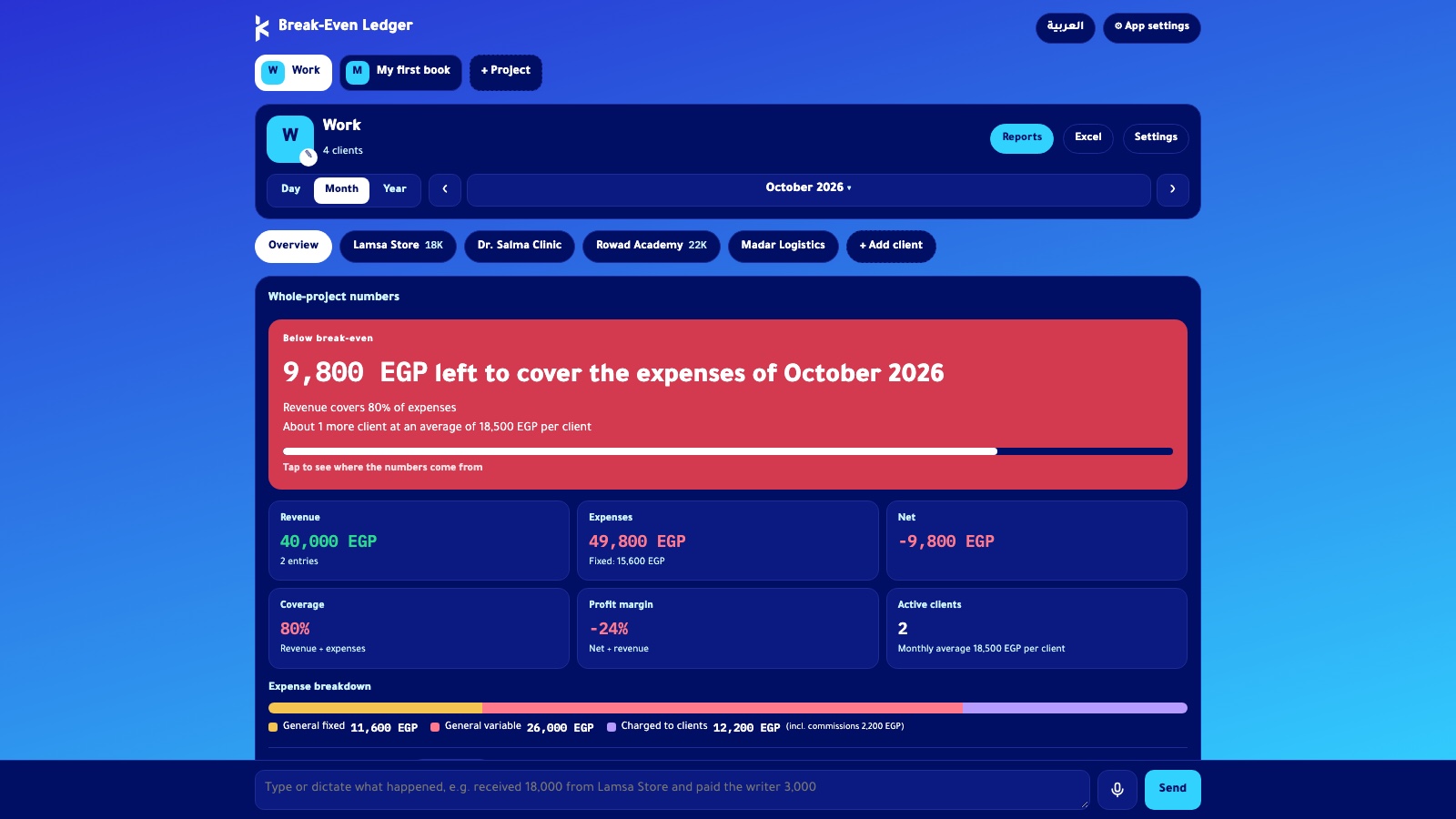
An expenses and revenue app that answers one question the moment it opens: how far am I from making real profit?

  • Build time: Idea to working version in one evening
  • Built with: Claude, through vibe coding
  • Languages: Arabic and English, with automatic right-to-left switching
  • Data entry: One sentence in Egyptian Arabic or English
  • Key outputs: Monthly break-even, coverage percentage, payback forecast
  • Export: Excel

The Challenge

I run my consulting work and several personal projects at once, all funded from my own income.

  • Many costs: A freelance team, tool subscriptions, and setup costs.
  • Wrong tools: Spreadsheets and accounting apps recorded the spending, but none showed when a project would cover its costs.
  • No client view: I couldn’t tell which client was actually paying for itself.

I needed one app that shows how far each project is from real profit.

What I Built

A bilingual web app that tracks costs, revenue, and break-even for each project.

Feature What it does
Separate projects Work, a book, any side venture. You add, rename, or delete each one from a single button. Each project has its own color theme, and the work project carries my brand colors and gradient.
Four ledgers Fixed monthly costs, variable cost per unit, one-time setup costs, and revenue, all editable.
Client coverage Each client or item has its own commission rate and shows whether it covers its own costs.
Time views Day, month, and year.
Break-even chart A cumulative chart marks the exact moment net profit crosses zero.
Payback forecast Predicts the break-even month from the last three months of data.
“What if?” panel Tests a price change or a new fixed cost before I commit to it.
Bilingual interface Arabic and English with one toggle. The layout switches direction automatically.
Excel export Every ledger downloads as a spreadsheet.

The AI Behind It

Claude built the app, and an AI data-entry assistant runs inside it.

  • Natural input: I type a sentence such as “paid the designer 15 thousand yesterday” in Egyptian Arabic or English.
  • Smart conversion: The assistant converts amounts and relative dates into exact figures.
  • Bilingual records: It writes every line in both languages.
  • Approval first: It proposes the records, and nothing is saved until I approve.
  • No guessing: A missing amount triggers a question, never an assumption.

Results

Logging a transaction now takes one sentence instead of filling in a form.

  • Faster entry: One typed line replaces the full form.
  • Clear break-even: Every project shows its monthly break-even point and coverage percentage.
  • Forecast profit: Each project shows the month when cumulative profit is expected to start.
  • Better decisions: The “What if?” panel tests pricing and cost changes before they happen.